
You do not build a special kind of survey for the watch. You build a survey, and if it fits within the boundaries on this page, it becomes available on the watch as well as the phone.
Every question type is supported
All nine question types documented in the Question Types section of this knowledge base work on the watch, each drawn to suit a small round or square screen rather than copied from the phone:
| Question type | On the watch |
|---|---|
| Single Selection | A scrolling list; one tap answers and moves on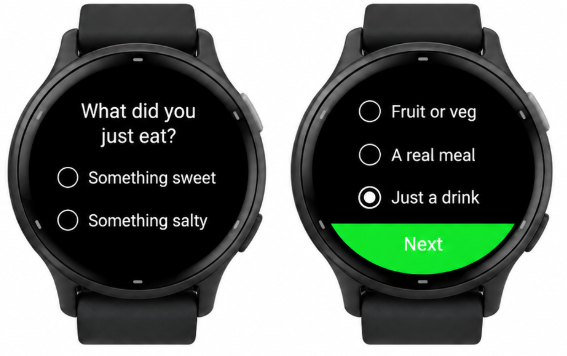 |
| Multiple Selection | A scrolling list with check marks, confirmed with Next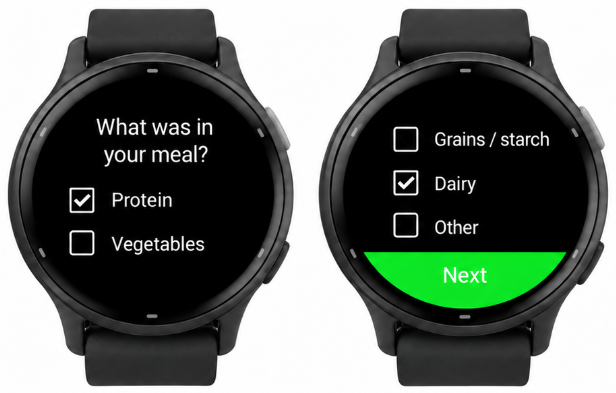 |
| Discrete Slider | A track with a dot for each labelled stop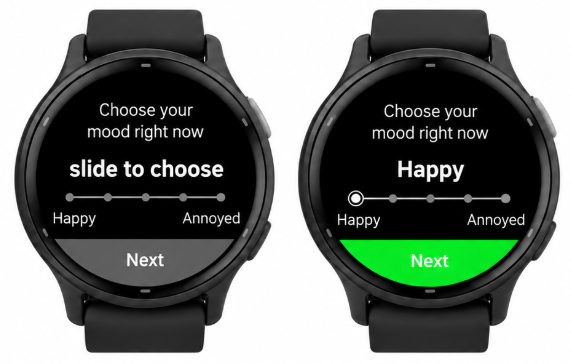 |
| Continuous Slider | A sliding track, one statement per screen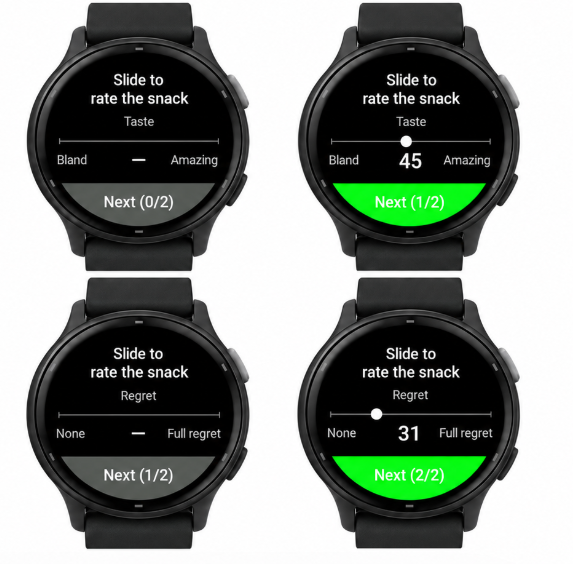 |
| Drop Down | A rotating dial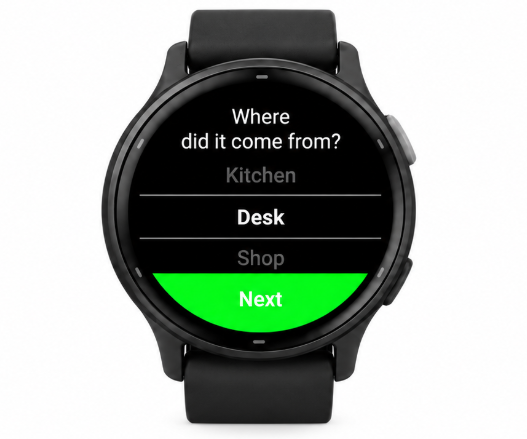 |
| Matrix | Each row asked in turn, sharing one rating scale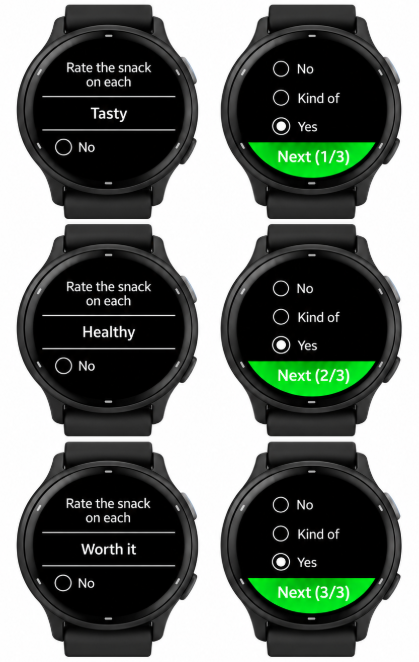 |
| Time | A clock dial for hour, then minute, then AM/PM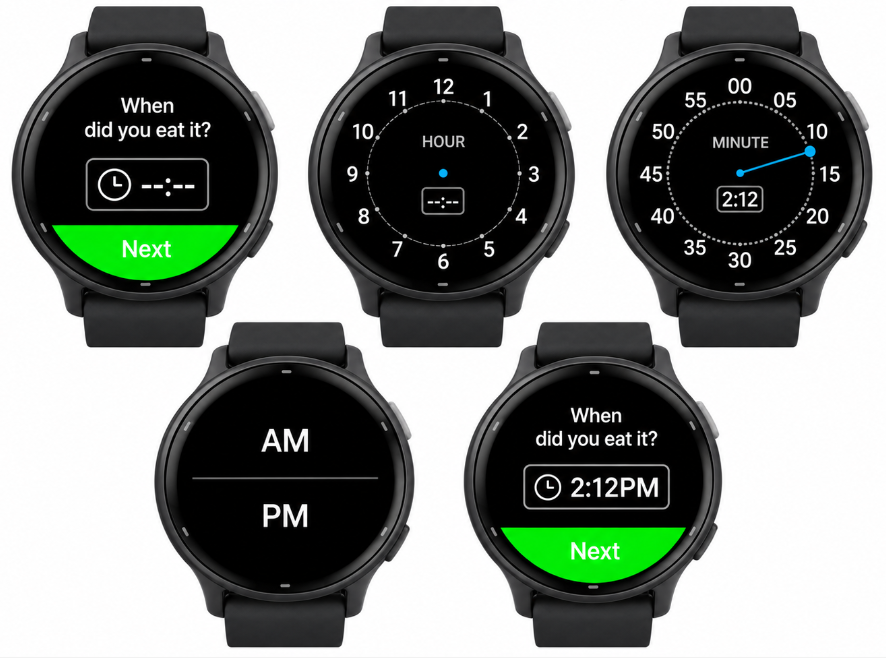 |
| Text Entry | The watch’s own keyboard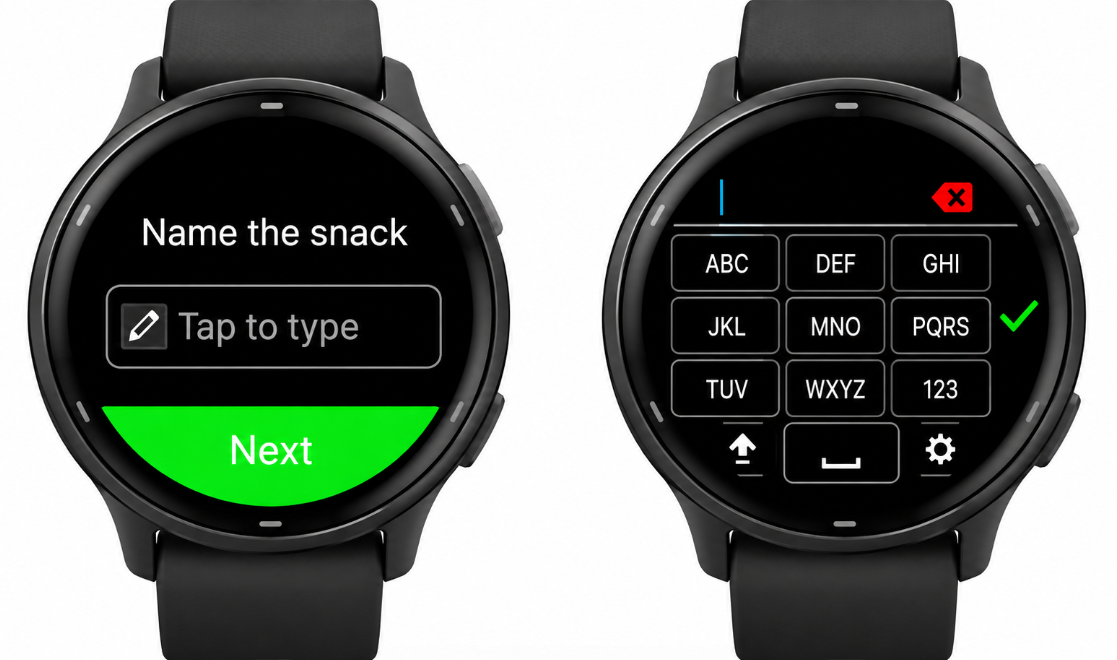 |
| Range & Duration Range | A number pad, or a ring picker for dates and durations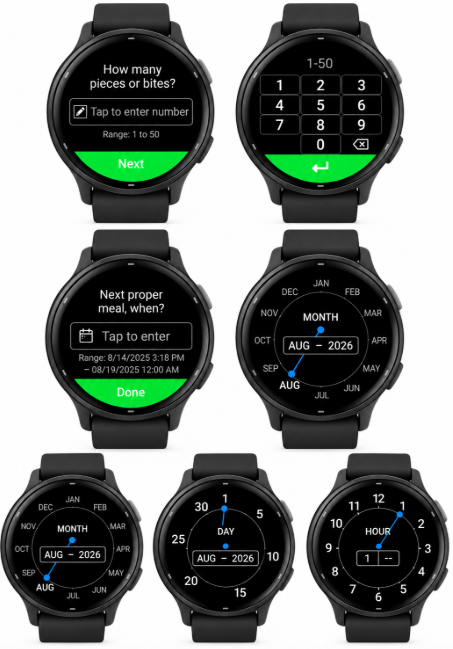 |
The one authoring rule: Short Text
In the survey editor, every question has a Short Text field and a Long Text field. The phone shows Long Text to the participant. The watch shows Short Text.
This is the single most important thing to know, because Short Text is a field you already fill in — it has simply never been read by a participant before. On the watch it is the question. The same applies to the survey title, to every answer option, and to the labels at the ends of a slider.
The editor caps Short Text at forty characters, but the cap is not a guarantee of fit. Screen size and font differ from one watch model to the next, and a line that sits comfortably on one can be squeezed on another — in our testing the Venu Sq 2 runs out of room first. When text will not fit, the watch shrinks it, and if that is still not enough it trims the end with an ellipsis. The survey still runs, but a trimmed question is one the participant has to guess at. Write well under the cap — a short, plain question that reads at a glance — and check it on the smallest watch model in your study.
Watch out
If Short Text is empty, the watch falls back to Long Text — which has no forty-character limit. The same shrink-then-trim applies, so the survey still runs, but a full-length phone prompt squeezed onto a wrist is exactly what you are trying to avoid. Before a watch study, read down your survey’s Short Text column and treat it as participant-facing copy.
What does not cross over
A few things that work on the phone are not available on the watch:
- Media capture and task-style questions — photo, audio and video capture, and the reaction-time and similar tasks that are built on the Text Entry type.
- Goal-entry and goal-report matrices. Rating-scale matrices are fine; the numeric goal tables are not.
- Dependencies and response piping. Every question is asked, in order, every time.
- Images.
Watch out
One unsupported question keeps the whole survey off the watch. We would rather a survey not appear at all than appear with questions missing, because a partial survey would quietly produce partial data.
So if a survey never shows up on a watch, the usual cause is a single question — often a photo prompt or a goal table — not a problem with the watch. Troubleshooting the watch app has the checklist.
How answering works
The watch asks one question per screen. The participant answers and taps Next. There is no way to go back and change an earlier answer, and no way to skip a question.
The watch’s physical back button leaves the survey entirely, after asking the participant to confirm; nothing from that run is kept. A back swipe on the touchscreen does nothing, so a stray gesture cannot lose someone’s answers.
Design accordingly: a watch survey should be short enough that starting over is not a hardship, and its questions should stand on their own without a participant needing to revise an earlier one.
Practical guidance
- Keep it brief. A handful of questions. If it takes more than about a minute, it probably belongs on the phone.
- Keep option lists short. Long lists work — they scroll — but scrolling on a wrist is where participants disengage.
- Prefer taps to typing. Text Entry is supported, but a watch keyboard is slow. Use it for the rare open answer, not the routine one.
- Read your Short Text aloud. If it does not sound like a question, rewrite it.